
Hyperion
Plan : FreeStart from a business question and get the complete analysis in one click, staged in 3D.

Business problems
- Discover what the application can do by starting from a question, without knowing the modules.
- Replay a ready-made analysis on your own data: natural groups, model autopsy, targeting under budget.
- Present a result with a scene that explains by itself what it shows.
Academic problems
- Have complete, reproducible demonstrations for class, from raw data to reading the result.
- Let students handle a scene that is already styled before explaining its settings.
Methods & guarantees
- Scenarios run the modules of the other tabs, with the same computations; their results remain available there.
- An ambiguous column role stops the scenario instead of letting the tool guess.
- Launching saves the current view, which Restore my view brings back.
Start from the question, not from the module
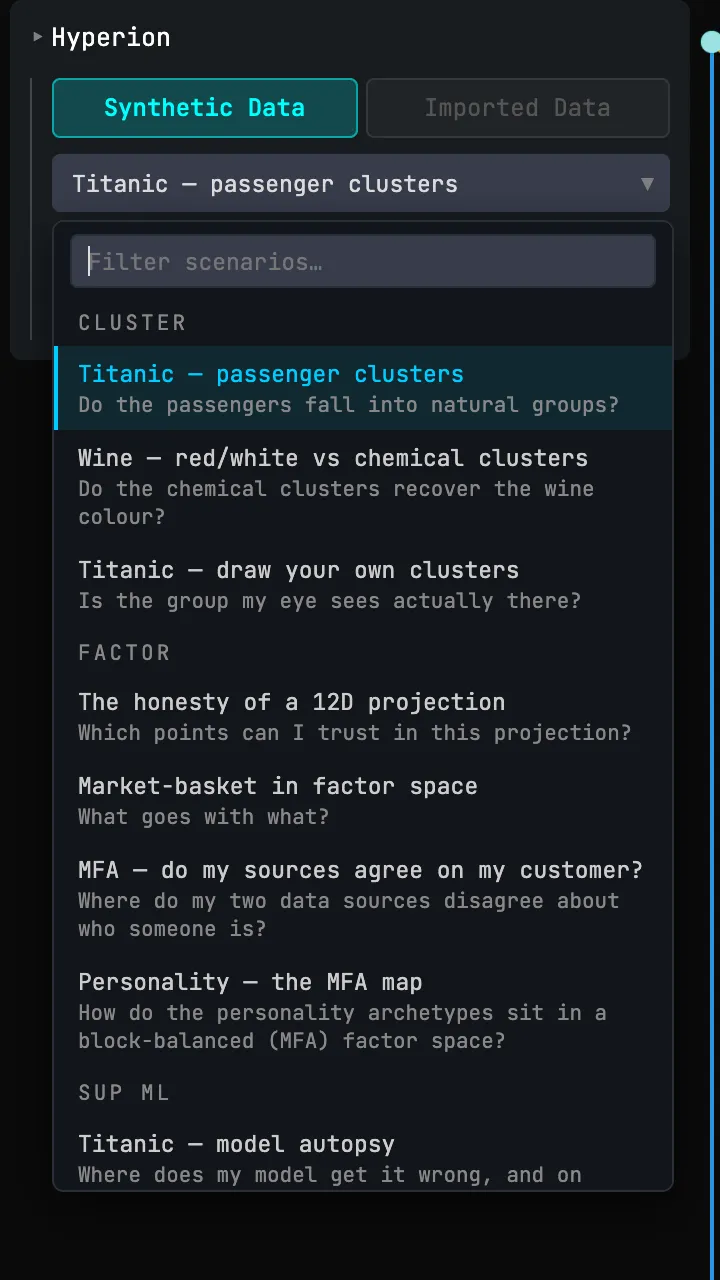
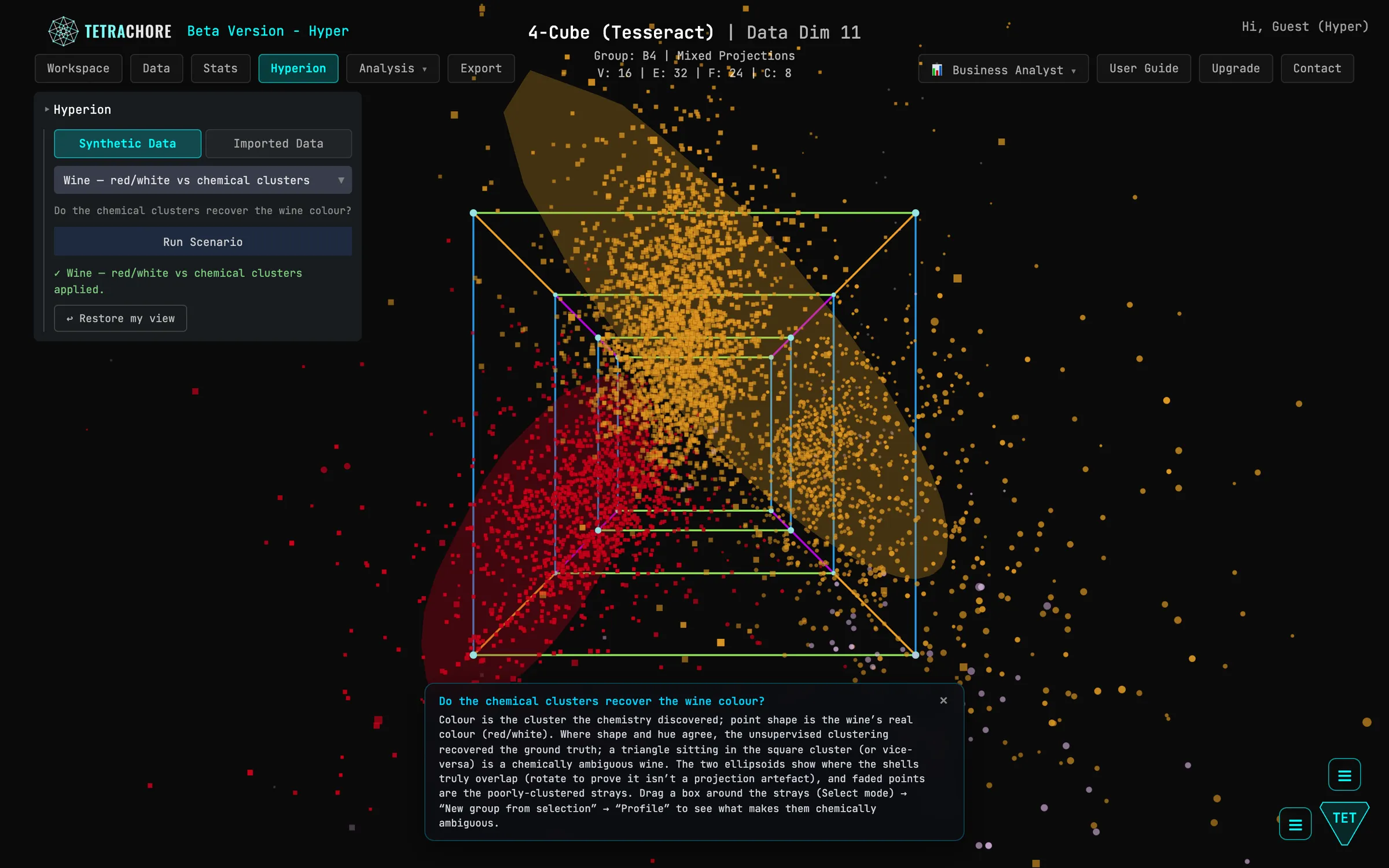
Each scenario starts from a business question: do the chemical clusters recover the wine colour? Whom should I contact with a limited budget? Where does my model go wrong? It loads a demo dataset when needed, assigns the column roles, chains one or more modules (Factor, Cluster, Sup ML, Hy-Performance, MMM, Optimization, association rules), then styles the scene so that the answer reads in the point cloud: colours, shapes, ellipsoids, overlays.
The menu groups scenarios by module, each under its title and its question. Run Scenario runs the one you picked.
Read the answer in the scene
A banner at the bottom of the scene recalls the question and says what colour, shape, size and opacity encode, then which gesture to try next. The scene stays interactive during and after the scenario. Some unfold in several steps, each with its own styling and text, without rerunning any computation. Results remain available in each module's tab, with the same figures as if it had been run by hand.
Replay the analysis on your own data
Under Imported Data, scenarios run on the loaded dataset. Each first checks that the data fit: it finds the columns by their role, or requires columns with exact names, whose template ⬇ Download data template (.csv) provides. An unavailable entry stays greyed out and says what is missing. An ambiguous role stops the scenario: assigning the role by hand in the Data tab removes the ambiguity.
Get your view back
↩ Restore my view brings the settings back to what they were before the launch: styles, overlays, module parameters. A demo dataset loaded by the scenario stays in place. The Hy-Performance and MMM scenarios require the Hyper plan; the others are open to everyone.
Try it on your own data
Everything runs in your browser: your data never leaves it.
Open TetrachoreUpdated 7 November 2026